
The Realm of Virtual smartphones: A Deep Dive into Emulators
Smartphones have become indispensable tools in our daily lives, driving innovation across various sectors. From app development and testing to gaming and accessibility, the need to replicate the smartphone experience on a computer has led to the rise of smartphone emulators. These powerful software applications create virtual environments that mimic the hardware and software of real mobile devices, allowing users to run mobile operating systems and applications on their desktops or laptops. This article delves into the intricacies of smartphone emulators, exploring their functionalities, applications, and the technologies that power them.
At its heart, a smartphone emulator is a piece of software that simulates the hardware and software of a mobile device. This simulation allows users to run mobile operating systems, such as Android or iOS, on their computers. By replicating the device’s architecture, including the CPU, memory, storage, and input/output interfaces, emulators provide a platform for running mobile applications as if they were on a physical device.

The functionality of a smartphone emulator relies on several key components:
Virtual Machine (VM)
Emulators often utilize a Virtual Machine (VM) to create an isolated environment for the guest operating system. The VM acts as an abstraction layer, separating the emulator’s operating system from the host computer’s operating system. This isolation ensures stability and security, preventing potential conflicts or damage to the host system.
CPU Emulation
Emulating the Central Processing Unit (CPU) is a critical aspect of smartphone emulation. Emulators translate the instruction set of the target mobile device’s CPU into instructions that the host computer’s CPU can understand. This process, known as dynamic binary translation, allows applications designed for ARM-based mobile devices to run on x86-based computers.
Memory and Storage Emulation
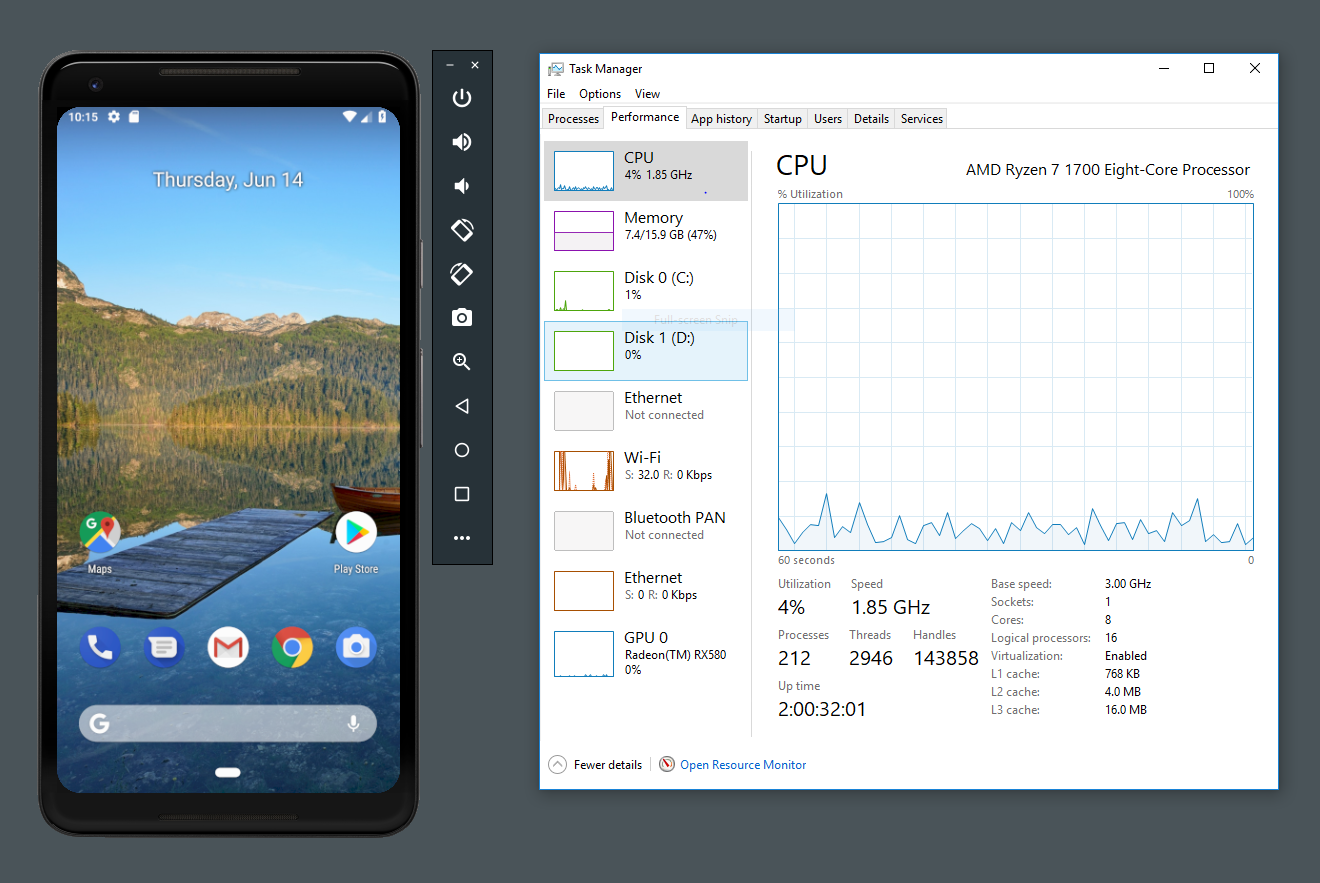
Emulators allocate a portion of the host computer’s RAM and storage to simulate the memory and storage of the target mobile device. This allows the guest operating system and applications to access and manage data as if they were running on a physical device.
Graphics and Input/Output Emulation
Emulators simulate the graphics processing unit (GPU) and input/output interfaces of the target mobile device. This enables the rendering of graphical content and the handling of user input, such as touch gestures, keyboard input, and mouse clicks.
The versatility of smartphone emulators makes them valuable tools across a wide range of applications:
App Development and Testing
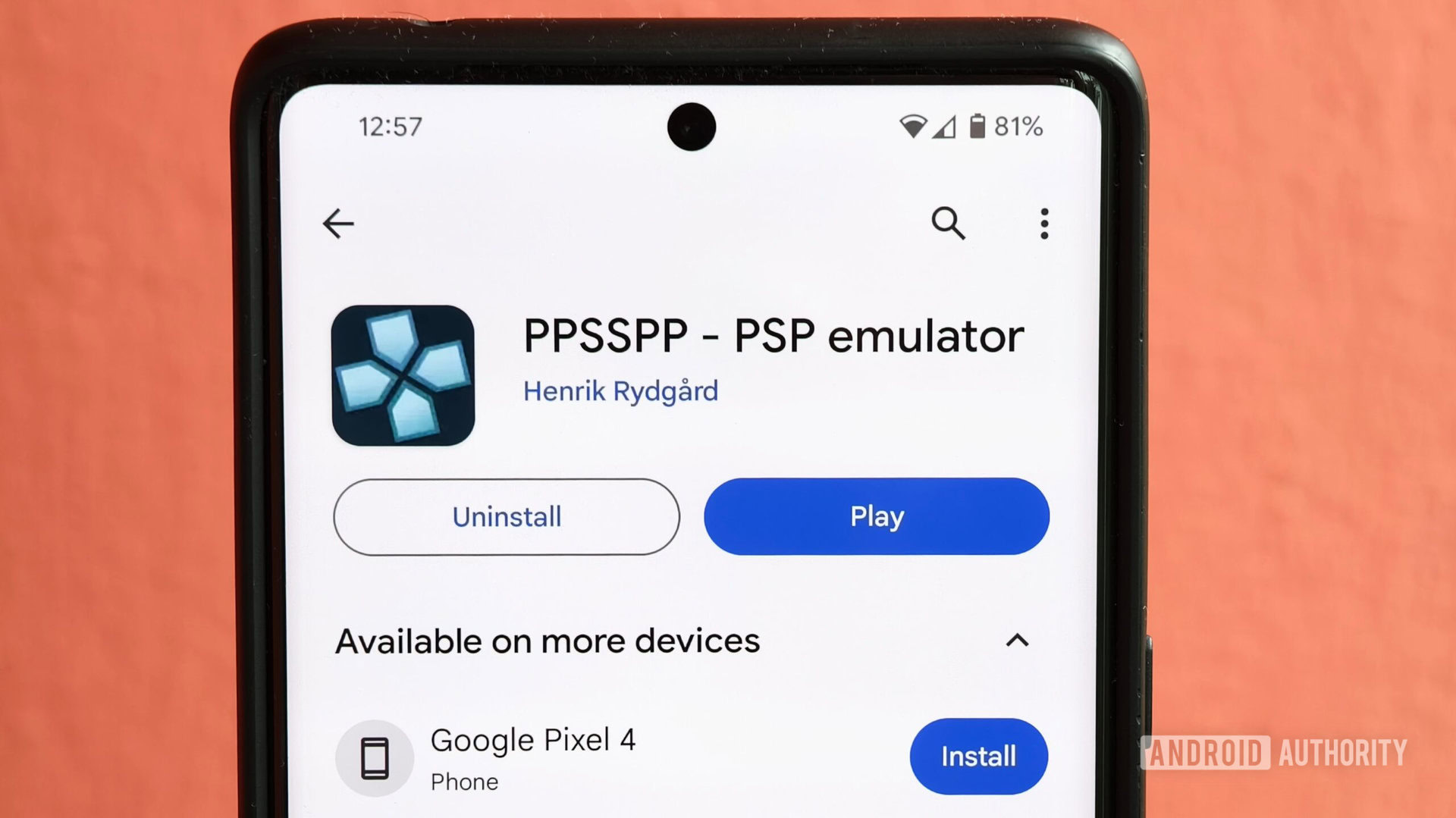
For app developers, emulators are indispensable for testing their applications on various device configurations and operating system versions without needing a physical device for each. Emulators allow developers to simulate different screen sizes, hardware capabilities, and network conditions, ensuring their apps function correctly across a diverse range of devices.
Gaming
Mobile gaming has become a massive industry, and emulators allow gamers to experience their favorite mobile games on a larger screen with keyboard and mouse controls. Emulators can also provide performance enhancements, such as higher frame rates and improved graphics, compared to running games on a physical device.
Accessibility
Smartphone emulators can improve accessibility for users with disabilities. By running mobile applications on a computer, users can leverage assistive technologies, such as screen readers and voice recognition software, to interact with mobile apps more effectively.
Software Demonstration and Training
Emulators are useful for demonstrating mobile applications and providing training on mobile device usage. They allow instructors to project the emulator’s screen onto a larger display, making it easier for audiences to follow along.
Security Testing
Security researchers and ethical hackers utilize emulators to analyze mobile applications for vulnerabilities and security flaws. By running apps in a controlled environment, they can monitor network traffic, examine file system access, and identify potential security risks.
The market for smartphone emulators is diverse, offering a range of options for different needs and preferences:
Android Studio Emulator
Android Studio, Google’s official integrated development environment (IDE) for Android app development, includes a powerful emulator. It provides a comprehensive set of features, including support for various Android versions, hardware configurations, and sensor simulations.
BlueStacks
BlueStacks is a popular Android emulator primarily focused on gaming. It offers a user-friendly interface and optimized performance for running Android games on Windows and macOS.
NoxPlayer
NoxPlayer is another Android emulator designed for gaming. It provides advanced features, such as keyboard mapping, gamepad support, and multi-instance support, allowing users to run multiple games simultaneously.
LDPlayer
LDPlayer is a lightweight Android emulator that prioritizes performance and stability. It is optimized for running resource-intensive games and applications.
Genymotion
Genymotion is a commercial Android emulator designed for app developers and testers. It offers a wide range of virtual devices and advanced features for simulating various scenarios.
iOS Simulators (Xcode)
For iOS development, Xcode, Apple’s IDE, includes an iOS simulator. While it’s not a full emulator in the same way as android emulators, it provides a crucial tool for developers to test their applications on different iOS versions and devices.
Despite their numerous benefits, smartphone emulators also face certain challenges and limitations:
Performance Overhead
Emulating a complex system like a smartphone requires significant processing power, which can lead to performance overhead. Emulators may consume a considerable amount of CPU and RAM, especially when running resource-intensive applications.
Hardware Limitations
Emulators cannot perfectly replicate the hardware of a physical device. Certain hardware features, such as sensors and cameras, may be difficult or impossible to simulate accurately.
Compatibility Issues
While emulators strive to provide compatibility with a wide range of applications, some apps may not function correctly in a virtual environment. This can be due to differences in hardware, software, or network conditions.
Security Concerns
Running emulators can introduce potential security risks if not handled properly. Users should download emulators from reputable sources and avoid running untrusted applications in the emulator environment.
The field of smartphone emulation is constantly evolving, driven by advancements in hardware and software technologies. Some key trends and innovations include:
Cloud-Based Emulators
Cloud-based emulators allow users to access and run mobile applications in the cloud, eliminating the need for local installations. This approach offers scalability, flexibility, and accessibility from any device with an internet connection.
ARM Emulation on ARM-Based Computers
With the rise of ARM-based computers, such as Apple’s M1 and M2 chips, emulating ARM-based mobile devices becomes more efficient and seamless. This eliminates the need for dynamic binary translation, resulting in improved performance.
Improved Sensor Simulation
Advancements in sensor technology are enabling more accurate and realistic simulation of sensors in emulators. This allows developers to test sensor-based applications more effectively.
AI-Powered Emulation
Artificial intelligence (AI) is being used to enhance the functionality and performance of smartphone emulators. AI algorithms can optimize resource allocation, improve performance, and automate testing processes.
Smartphone emulators have become essential tools for app developers, gamers, and users seeking to enhance their mobile experience. By providing virtual environments that replicate the functionality of physical devices, emulators enable a wide range of applications, from app development and testing to gaming and accessibility. As technology continues to advance, smartphone emulators will play an increasingly important role in the digital landscape.


